

Bingebuster turns your streaming apps into a 3D Blockbuster you can walk through
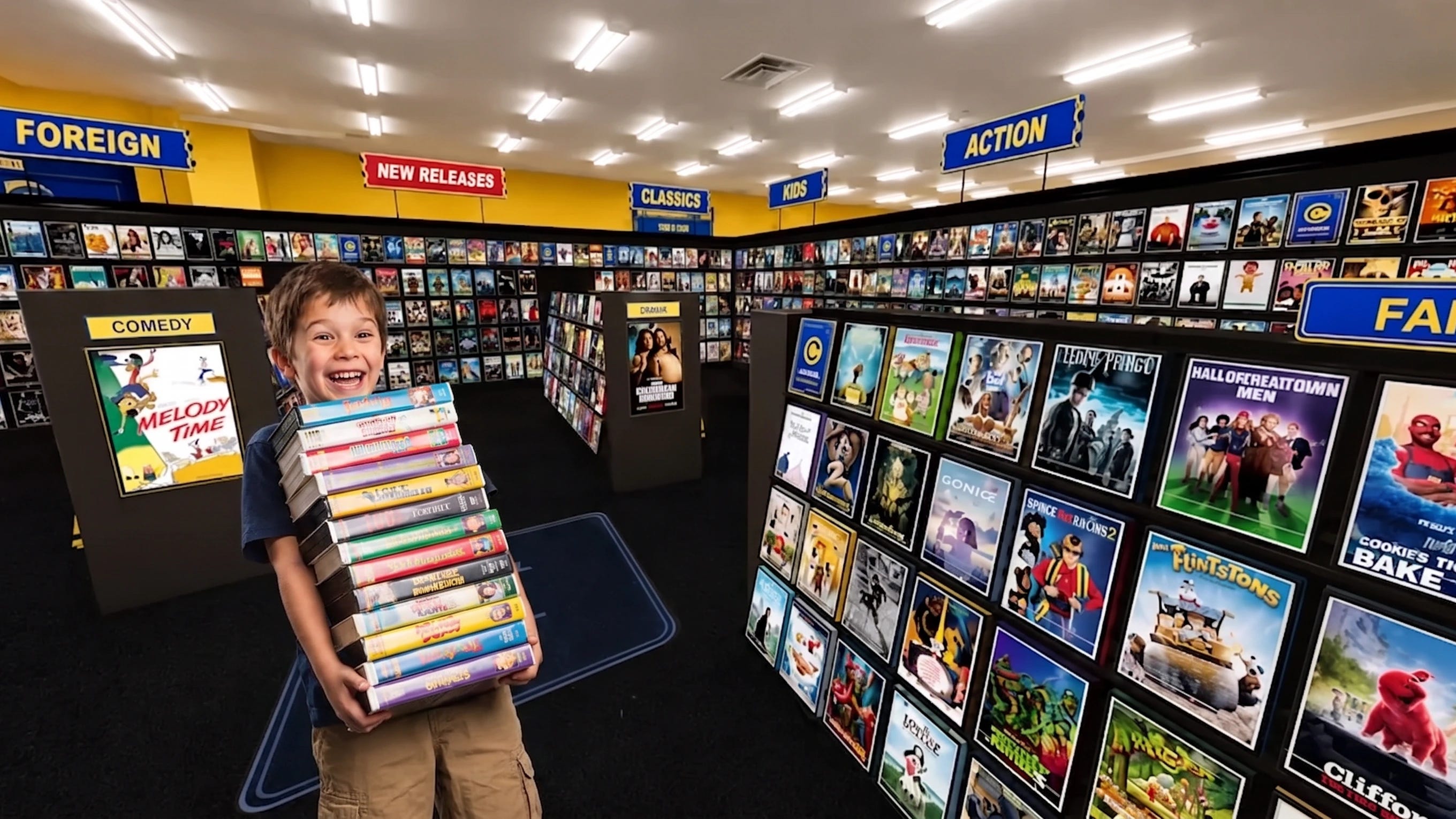
Bingebuster.net is a free browser site that turns your streaming subscriptions into a walkable 3D video store. Pick your services, browse VHS covers by genre, and click a case to launch the trailer or the app.
Somebody built a virtual Blockbuster, and it’s stocked with whatever you already pay to stream.
Bingebuster.net is a free, browser-based 3D video store. You tell it which services you subscribe to and what country you’re in, and it fills the shelves with the movies you can actually watch, rendered as VHS cases you browse by walking the aisles.
Click a case and it pulls off the shelf. You can rotate it, read the back-cover synopsis, watch the trailer, and jump straight to the movie on the right app.
How Bingebuster works
The whole thing runs on point-and-click navigation, no download.
The store is split into sections the way a real one was: New Releases, Horror, Sci-Fi, Comedy, Cult Classics, Drama, Documentary, Staff Picks, and more. It pulls from Netflix, Prime Video, Disney+, HBO Max, and others, and a filter lets you show only the services you pay for so nothing on the shelf is locked behind a paywall you don’t have.
There’s a search bar, too, if you already know what you want. It’ll walk you right to the case on the shelf.
Why a fake video store solves a real problem
Here’s the part that’s smarter than the nostalgia.
Streaming catalogs are genuinely hard to browse. The endless “Because You Watched” carousels are built to keep you scrolling, not to help you decide, and a lot of people spend more time picking a movie than watching one. Bingebuster turns that flat, algorithm-driven grid into a room you explore, where cover art catches your eye and you stumble onto stuff by accident.
That accidental discovery is the thing streaming quietly killed. A wall of thumbnails optimized for engagement is a different experience from a shelf you wander until something grabs you.
So the joke is a nostalgia trip, and the feature is that it works better than the apps it’s pulling from.
What’s next for Bingebuster
The site’s made by a two-person team, and they’ve got plans.
They told What’s on Netflix they’re working on support for Plex and Jellyfin, so people with their own self-hosted media libraries can browse those the same way. They’re also hiding Blockbuster-themed Easter eggs in the aisles.
It arrives while physical media is having a real moment, with Gen Z driving renewed interest in owning movies instead of renting access to them. There’s exactly one real Blockbuster left on Earth, in Bend, Oregon, and it makes most of its money selling merch to tourists.
Bingebuster won’t rewind for you, and it won’t charge a late fee. Go find something on a shelf for once.
Article compiled and edited by Derek Gibbs (entertainment editor) and the Clownfish TV newsroom.
D/REZZED is part of Clownfish TV. For more news, views, and rants on gaming, tech, and pop culture, visit clownfishtv.com. Watch the show on YouTube at @ClownfishTV where new episodes drop daily. Subscribe to the Clownfish TV podcast on Apple Podcasts, Spotify, iHeart, and wherever else you get your podcasts. Sign up for the free newsletter at more.clownfishtv.com.
Hat Tips:
Dexerto (August 6, 2026), verified for how Bingebuster works, the supported services (Netflix, Prime, HBO Max), the subscription-and-region filter, the synopsis and trailer functions, and the search bar
What’s on Netflix (July 2026), verified for the two-person development team, the planned Plex and Jellyfin support, and the Easter eggs
BroBible (August 6, 2026), verified for the full list of genre sections, the linked streaming accounts, and the single remaining Blockbuster store in Bend, Oregon making roughly 80% of its income from merchandise
No Film School and Softonic (July 2026), verified for the walkable 3D interface, the aisle navigation, and the discovery-vs-carousel contrast